
BtcCoin-Cloud Miner Mining
BTC COIN Cloud Miner NFTFinance
3.9643.00 Reviews
- Version
- 2.0.2
- Installs
- 100.00K
- Age Rating
- Mature 17+
Screenshots
Our Review of BtcCoin-Cloud Miner Mining
 Analysis by Appyee
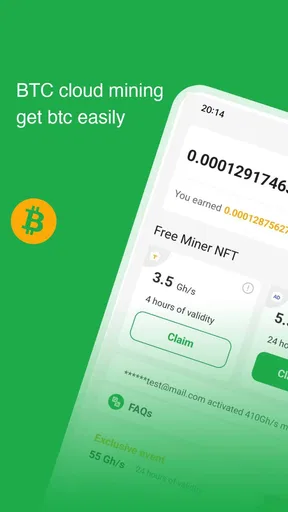
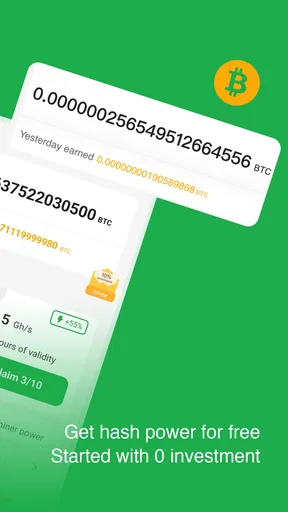
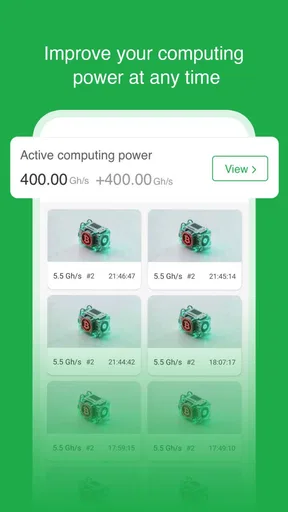
I approached BtcCoin-Cloud Miner Mining as a finance app rather than as a shortcut to guaranteed income. Its purpose is easy to understand: it presents cloud mining as something you can manage from a mobile device instead of running mining hardware yourself. That makes it interesting for people who want to explore the idea of Bitcoin mining without first building a computer, learning hardware maintenance, or leaving a machine running at home.
My overall impression is mixed but useful. The app is simple enough to invite beginners, yet the subject itself demands more caution than the short store description suggests. Cloud mining always involves questions about costs, returns, withdrawal conditions, and how much control the user really has. I would use this app as an exploratory tool, not as a replacement for a savings plan or a dependable source of income.
It is a free finance app from BTC COIN Cloud Miner NFT, rated for Mature 17+ users. The app reached version 2.0.2 and requires Android 7.0 or later, so it remains accessible on many older Android phones. Its average rating is 3.9 from around 5.8 thousand ratings, with more than 100 thousand installs. Those figures suggest that it has attracted a meaningful audience, although they should not be confused with proof that every user has had the same experience.
How I would use the app from the first launch
I would make the first launch a short orientation session: identify the main status display, read the labels around the mining action, and note where paid options appear before tapping anything. That gives me a baseline for judging whether the workflow is clear, rather than letting the promise of progress set my expectations. Once I know what the screen is telling me, I can check the account details that shape a safer routine.
Start with observation instead of spending
The most sensible first session is deliberately uneventful. I would install the app, look through the mining screen, identify what information is visible, and learn how the main action works before considering any purchase. A cloud-mining app can make a process look passive, but passive-looking screens still need careful reading. I want to know what is being displayed, which actions are free, and where any paid options appear.
This is especially important because free access and in-app purchases are separate ideas. The app itself costs nothing to install, while individual in-app purchases range from $7.99 to $999.99. That is a very wide spending range, and it changes how I judge the app. A free download is convenient for testing the interface; it is not a reason to assume that paid mining will be profitable.
My baseline workflow would be simple: open the app, review the current mining status, note any visible balance or progress, and close it without making an impulsive decision. I would repeat that routine for several days before deciding whether the experience is clear enough to continue. The goal is to understand the app's rhythm, not to chase a number that may move slowly or depend on conditions I cannot control.
A realistic everyday scenario
Imagine checking the app during a morning commute or while waiting for an appointment. I would spend a minute reviewing the account rather than leaving it open constantly. If the app offers a way to begin or continue a mining session, I would use that action only after checking the surrounding text and confirming what it changes. Later, I would return at a consistent time and compare the visible progress with my notes.
This habit is more valuable than repeatedly refreshing the screen. Frequent checking can create the feeling that activity equals progress, while a scheduled review gives a clearer picture of whether the app is worth the attention. It also reduces the temptation to buy an upgrade simply because a balance appears smaller than expected.
What I would record outside the app
I would keep a small note containing the date of each check, the displayed balance, and any action taken. I would not record a figure repeatedly in the article, but in personal use this kind of log helps separate actual account movement from a vague impression. I would also write down the wording attached to any purchase, withdrawal, or mining option before confirming it.
This is one of the less obvious advantages of a repeatable workflow: it exposes friction. If I cannot explain what a button does after reading the screen, I should not press it. If I need to search through several pages to understand a charge, I should pause. In finance apps, clarity is part of the product experience, not an optional extra.
Settings and account details worth checking
Before settling into regular use, I would look over the account information and the phone’s own app and battery settings, then decide which notifications are genuinely useful. I’d also make sure I can distinguish a status update from a payment prompt, since those deserve different levels of attention. With those basics in place, a repeatable check can be quicker without turning into constant monitoring.
Check the app environment first
Because the minimum requirement is Android 7.0, I would first confirm that the phone is supported and that the app behaves normally on that device. Older phones can be perfectly usable, but background activity, battery restrictions, and notification behavior may differ from newer hardware. I would not assume that a mining session continues exactly as expected simply because the app was opened once.
Android battery controls are worth reviewing. If the operating system restricts background activity, the app may not behave in the same way when it is closed or when the phone enters a low-power state. On the other hand, disabling every battery safeguard just to keep a finance app active is not a trade-off I would make automatically. Battery life, heat, and privacy matter more than the appearance of constant activity.
Separate notifications from urgency
If notifications are available, I would keep only the ones that help me manage the account. A notification can be useful when it reports a meaningful status change, but repeated prompts can encourage emotional decisions. I prefer to review balances and purchase screens on my own schedule, especially when money is involved.
This is also where the Mature 17+ rating deserves attention. It signals that the app is aimed at an older audience, which fits a product involving digital assets and purchases. Younger users should not treat the app as a casual game, and adults should still approach it with the same care they would give any financial service.
Read payment screens slowly
The purchase range is the single setting-related issue I would take most seriously. Before confirming anything, I would check the selected item, the amount, the billing wording, and whether the action is reversible. I would never begin with the highest-priced option. A large purchase can magnify uncertainty before I have even established whether the basic workflow is understandable.
I would also avoid using money needed for rent, bills, debt payments, or emergency savings. That advice is not a criticism of this particular developer; it is a practical boundary for any app that connects digital rewards with purchases. If the only way to feel progress is to keep paying, the app is no longer serving my original purpose of exploring cloud mining.
Protect the account and the phone
I would use a strong, unique password if the app asks me to create an account, and I would avoid entering sensitive information into a screen I do not understand. I would keep the operating system and app updated through the normal store process, while remembering that an update can change the layout or workflow. Version 2.0.2 is the current version, so I would check the interface after updates rather than relying on old instructions.
I would also avoid installing unrelated tools that claim to increase mining speed, unlock rewards, or automate activity. Those promises are a common source of unnecessary risk. The safest approach is to work only with the functions presented inside the official app and to treat outside shortcuts as untrusted unless their purpose is completely clear.
Faster patterns that remain sensible
To make routine checks faster, I would use the same sequence each time and keep any personal notes outside the app, so I can spot changes without relying on memory. I would avoid leaving the screen open or changing phone settings unless the app clearly explains why that would help. That keeps convenience from becoming needless battery use or a reason to mistake activity for better results; the next question is where sensible shortcuts end.
Use a fixed review routine
Experienced use does not mean pressing every available control. My preferred shortcut is a fixed routine: open the app, check the main status, inspect any new message, review the balance, and leave. Repeating the same sequence makes unusual changes easier to notice. It also prevents the app from taking over the day through constant checking.
I would choose a time when I am already handling personal finances, such as a weekly budget review. That links the app to a broader decision rather than isolating it as an exciting reward screen. If the balance grows, I can assess it calmly. If nothing changes, I have lost very little time and have not been pushed into a rushed purchase.
Keep free testing separate from paid experimentation
A useful pattern is to treat the free app experience as one stage and any paid activity as another. I would first decide whether the interface is understandable, whether the displayed progress is consistent, and whether the app fits my expectations. Only then would I consider a small, affordable experiment, and even that would be money I could comfortably lose.
This separation prevents a common mistake: paying to solve confusion. If I do not understand the basic mining flow, a larger package will not make the product clearer. It may only make the uncertainty more expensive. The app's free entry point is therefore most valuable as a chance to evaluate the experience before committing funds.
Compare the outcome with ordinary alternatives
For someone who simply wants exposure to Bitcoin's price, a regulated exchange or a conventional investment app may be easier to understand than cloud mining. Those services involve their own risks, but the user is generally making a clearer choice between buying, holding, or selling an asset. BtcCoin presents a different mental model: the user is engaging with a mining process and its associated progress rather than directly holding hardware.
For someone who wants to learn how mining works technically, a desktop demonstration, educational simulator, or direct study of mining hardware may teach more than a mobile interface. BtcCoin is more convenient, but convenience can hide the underlying mechanics. I would choose it for a lightweight introduction, not for a complete technical education.
For someone who wants a passive income stream, I would be even more cautious. A mining app cannot remove market risk, operating costs, payout conditions, or the possibility that the result will not justify the time or purchase. If predictable cash flow is the priority, this is the wrong category to rely on.
Use the app as a learning checklist
One concrete way to get more value from the app is to turn each session into a question. What does the current status mean? What action changes it? How is progress displayed? What would I need to do before any reward could be used? This approach turns a potentially distracting dashboard into a small research exercise.
I would also compare my expectations with what the app actually shows. If I expected rapid movement because the word “mining” sounds active, the real pace may correct that assumption. If I expected a full hardware simulation, the mobile experience may feel too limited. Recognizing that mismatch early is more useful than trying to force the app into a role it was not designed to fill.
Advanced limits and the points where I would stop
There is a point where troubleshooting stops being useful: if I cannot understand an account change, payment screen, or displayed progress after a careful review, I would pause rather than spend more to test a theory. I would also stop trying phone-side workarounds that weaken ordinary battery or security safeguards. Those boundaries help separate a manageable setup snag from a reason to choose a different tool.
Mobile convenience is not mining control
The biggest conceptual limit is that a cloud-mining interface is not the same as owning and operating mining equipment. I am interacting with a service through a phone, not controlling the underlying hardware, electricity supply, network conditions, or maintenance. That distinction matters when judging both performance and trust.
A polished progress display can make the process feel tangible, but it does not by itself explain the economics behind the result. I would therefore avoid interpreting a rising balance as profit until I had considered every relevant cost and any conditions attached to using or withdrawing it. If the app does not make those steps easy to understand, that is a reason to pause rather than a reason to spend more.
Do not confuse activity with efficiency
Another advanced limit is the temptation to optimize behavior that may not materially change the outcome. Opening the app repeatedly, keeping it visible all day, or adjusting phone settings aggressively can feel like advanced participation. In practice, those habits may only consume attention and battery unless the app clearly explains why they matter.
My rule would be simple: I only adopt a shortcut when I can describe its benefit. If a setting improves visibility, I may use it. If it merely makes the app feel more active, I skip it. This is a useful distinction for experienced users because it keeps the workflow efficient without inventing capabilities that the app does not clearly provide.
Know when another option is better
I would stop using BtcCoin if the account information became difficult to interpret, if purchase prompts dominated the experience, or if the app no longer fit my original learning goal. I would also move elsewhere if I wanted direct asset ownership, detailed tax records, advanced trading tools, or technical control over mining hardware. A single mobile app cannot be the best choice for all of those needs.
Conversely, I would keep it in my toolkit if I wanted a low-commitment way to become familiar with cloud-mining terminology and routines. The free price makes that initial exploration easier, provided I treat the paid options as optional and remain disciplined about spending. The app works best when curiosity is the goal and guaranteed returns are not.
Who should consider it
I think the app suits an adult beginner who is curious about cloud mining, uses a compatible Android phone, and is willing to observe before investing. It can also suit someone who prefers a short, repeatable mobile routine over managing hardware. The strongest use case is educational: learning how a mining dashboard feels and deciding whether this kind of service is personally interesting.
I would recommend skipping it if you need dependable income, direct ownership of cryptocurrency, highly detailed financial reporting, or a fully transparent technical view of mining operations. It is also a poor fit for anyone likely to treat large in-app purchases as a way to accelerate uncertain results.
My verdict after building a repeatable routine
The right way to approach BtcCoin is as a cautious experiment, not a promise of effortless earnings. I like that the app offers a straightforward mobile entry point and does not require a beginner to start with mining hardware. Its free installation and broad Android compatibility make initial exploration convenient, while the current version shows that the product is being maintained as an active app rather than an abandoned download.
Still, the convenience comes with limits. The app cannot make cloud mining risk-free, and the wide range of in-app purchases means self-control is essential. My recommendation would be to begin with observation, keep a personal record, review payment screens carefully, and compare the experience with ordinary exchanges or educational tools before committing money.
After that, the decision is personal. If you enjoy learning through a simple dashboard and can accept uncertainty, BtcCoin may be a reasonable introduction to mobile cloud mining. If you want predictable returns, direct control, or a complete technical picture, I would choose a different financial tool. Used with clear boundaries, it can be interesting; used as an income machine, it is not something I would rely on.
Verdict
Strengths of BtcCoin-Cloud Miner Mining
- Simple interface that is easy for beginners to navigate
- Cloud-based mining avoids heavy battery and hardware usage
- Mining progress can be checked from almost any device
- No specialized mining equipment is required to get started
- Useful for learning basic concepts of cryptocurrency mining
Limitations of BtcCoin-Cloud Miner Mining
- Earnings may be very small compared with expectations
- Mining speed and rewards can depend on account or plan limits
- Withdrawal requirements may delay access to earned funds
- The app’s profitability depends heavily on BTC market conditions
- Users should carefully review fees, permissions, and service terms
Similar Picks in This Category
View All
Google Wallet
Google LLC4.3

Airtel: Recharge, Bank & Loans
Airtel4.0

PayPal - Pay, Send, Save
PayPal Mobile4.2

DANA Indonesia Digital Wallet
PT Espay Debit Indonesia Koe4.5

Binance: Buy Bitcoin & Crypto
Binance Inc.4.8

Cash App
Block, Inc.4.7
Frequently Asked Questions
What is BtcCoin-Cloud Miner Mining, and how does it work?
BtcCoin-Cloud Miner Mining presents itself as a cloud-mining service related to Bitcoin. Instead of requiring users to operate mining hardware directly, the app typically claims to manage the technical process remotely while displaying balances, mining rates, and account activity. Before downloading, carefully review its official description, supported regions, company information, and terms, because the exact service model and legitimacy can vary between similarly named applications.
Can BtcCoin-Cloud Miner Mining really generate free Bitcoin?
Users should not assume that the app can generate guaranteed or completely free Bitcoin. Real Bitcoin mining requires substantial computing power, electricity, maintenance, and operational costs, so services promising effortless or unusually high returns deserve careful scrutiny. Check whether the app clearly explains fees, minimum withdrawal limits, payout conditions, and expected earnings. Never treat displayed balances as confirmed funds until a withdrawal has successfully reached your own wallet.
Is BtcCoin-Cloud Miner Mining safe to use?
Safety depends on the app’s developer, permissions, privacy practices, payment system, and withdrawal history. Before creating an account, verify the publisher through the official Google Play Store or Apple App Store, read recent reviews, and investigate complaints about blocked withdrawals or unexpected charges. Avoid sharing private keys, wallet seed phrases, identity documents, or unnecessary personal information, and use a unique password with two-factor authentication whenever it is available.
Does BtcCoin-Cloud Miner Mining require payment or subscriptions?
Cloud-mining applications may offer free participation while also promoting paid contracts, upgrades, deposits, advertisements, or withdrawal fees. Read the complete pricing and refund information before paying for anything. Calculate whether the advertised mining income could realistically exceed service charges and network fees. Be especially cautious if the app pressures you to deposit more money to unlock withdrawals, increase mining speed, or recover an alleged account balance.
How can I withdraw Bitcoin from BtcCoin-Cloud Miner Mining?
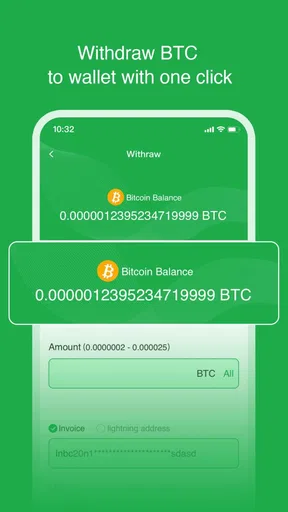
The withdrawal process generally depends on account verification, a minimum balance, network fees, and the wallet address supplied by the user. Confirm these requirements inside the app before investing time or money. Use a small test withdrawal first, double-check the Bitcoin address, and remember that blockchain transactions are usually irreversible. If support demands additional deposits, taxes, or referral activity before releasing funds, stop and investigate the service carefully.
